
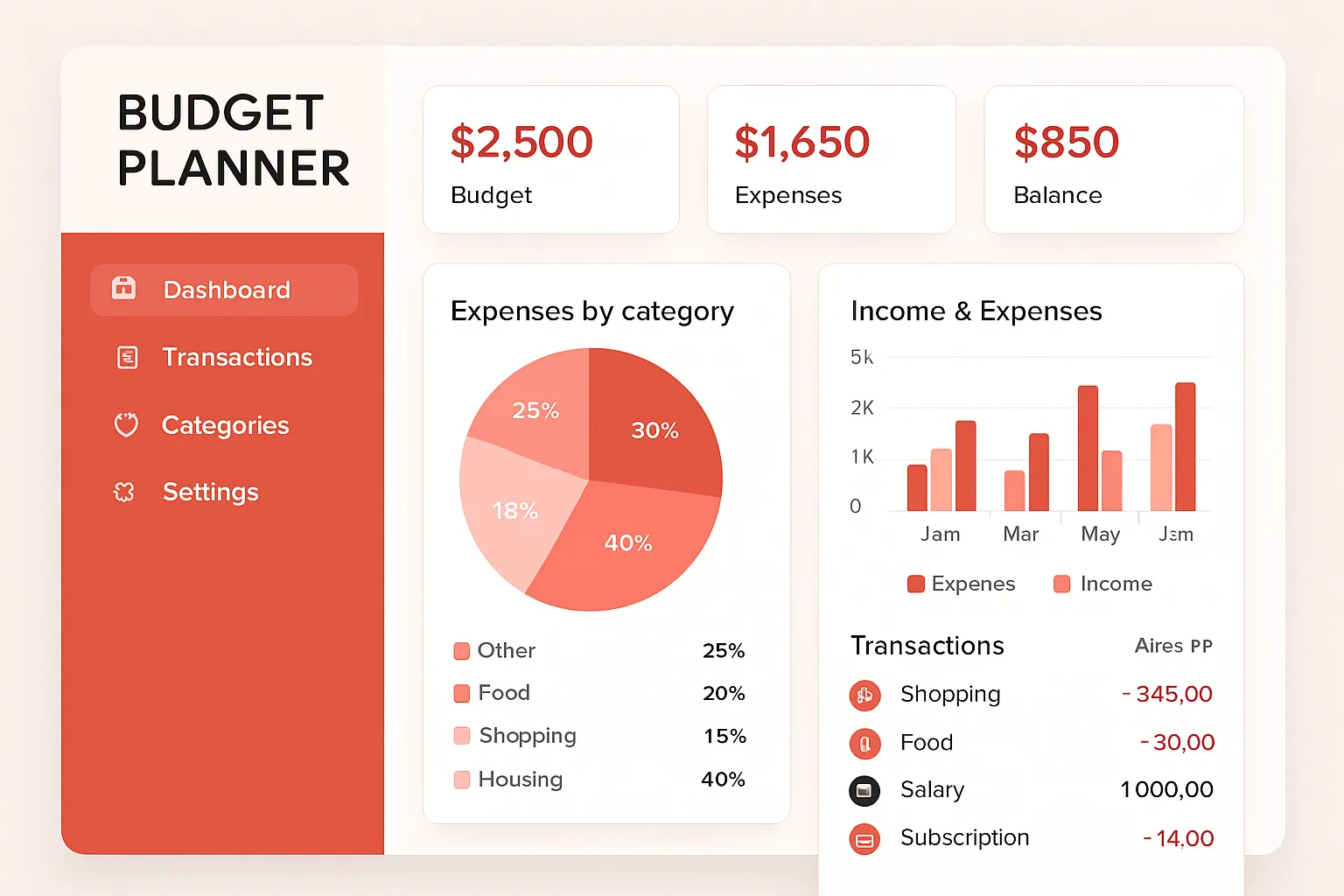
Struggling to get your finances in order? You’re not alone. Budgeting can feel overwhelming—especially if you’re new to managing money, don’t enjoy spreadsheets, or have little time to fiddle with formulas. That’s where budget planner apps and tools come in. Modern budgeting software transforms time-consuming number crunching into a seamless workflow, helping beginners develop productive habits and automate repetitive tasks. Top Free
Why Use Budget Planner Apps?
Money management is about more than tracking income and expenses. It’s about building momentum toward financial goals, reducing stress, and staying accountable. Digital tools designed for beginners are now user-friendly, intuitive, and packed with features that can automate your budgeting workflow. Whether you want to improve your productivity or simply automate your bill tracking, there’s a budget app for every need.
Top Budget Planner Apps and Tools for Beginners
With hundreds of apps in the personal finance arena, choosing the right one can be daunting. These are some of the most reliable and easy-to-use budget planner apps that cater to beginners. Each offers practical solutions for modern workflows and can dramatically boost productivity.
-
1. Mint
Mint is a staple in the budgeting software world. With Mint, you link your bank accounts, credit cards, and bills, allowing the app to automatically track and categorize spending for you. Beginners appreciate Mint’s clean dashboard and automated notifications.- Step-by-step usage: Download Mint, create a free account, and connect your financial accounts. Mint will pull in your transactions, sort them into categories, and suggest budgets based on your spending patterns.
- Pros: Free to use, real-time data syncing, bill tracking, custom budget categories, goal setting.
- Cons: Ads in the free version, limited customization for advanced budgeting techniques.
-
2. YNAB (You Need a Budget)
YNAB is renowned for teaching budgeting best practices. Its core philosophy: give every dollar a job. It’s a powerhouse for productivity, helping users plan ahead and automate workflows for recurring expenses.- Step-by-step usage: Sign up, connect accounts, assign every dollar in your income to a budget category. Use YNAB’s mobile app to adjust on the fly and receive notifications.
- Pros: Educational resources, strong automation features, active community, robust reporting.
- Cons: Monthly subscription, learning curve for absolute beginners.
-
3. Goodbudget
Goodbudget is a digital take on the envelope budgeting method, which is ideal for visual learners. You allocate funds into virtual envelopes for categories like groceries and entertainment.- Step-by-step usage: Set up envelopes for each category, assign a budget, and manually enter transactions. Sync between devices for real-time updates.
- Pros: Simple interface, envelope method for better visualization, syncs with multiple users (great for families).
- Cons: Manual transaction entry required unless you pay for advanced features.
-
4. PocketGuard
PocketGuard’s “In My Pocket” feature tells you exactly how much you can safely spend, factoring in bills and goals. It’s geared for those who want an ultra-streamlined approach without spreadsheets or busywork.- Step-by-step usage: Connect accounts, input recurring bills, set your savings goals. PocketGuard analyzes your transactions and suggests spending tweaks.
- Pros: Automated tracking, visually appealing dashboard, identifies saving opportunities.
- Cons: Limited free version; some users want more customization.
-
5. EveryDollar
EveryDollar, developed by Ramsey Solutions, focuses on zero-based budgeting—a methodology where every dollar is assigned a place. Its design is productivity-minded, with automation for the paid version.- Step-by-step usage: Create categories, plan your budget for the month, enter income and expenses. Paid users can link bank accounts for automated tracking.
- Pros: Simple, fast setup; free and paid options; clear goals and tracking.
- Cons: Manual entry in free version; bank sync is a paid feature.
Real-World Example: Sarah’s Budgeting Journey
Sarah, a recent college graduate, struggled with overspending each month. She tried using spreadsheets but found them too complicated to maintain consistently. Sarah turned to Mint, linking her checking and credit card accounts. Within a week, the automatic categorization revealed her main problem areas: takeout and subscription services.
By setting category-specific budgets and enabling notifications, Sarah reduced her non-essential spending by 20% within two months. She then set up automation for her savings account transfers, turning her budgeting workflow into a productive habit.
How to Choose the Right Budget Planner Tool
Selecting the best budget app depends on your habits and workflow requirements:
- Goal-oriented: If your priority is saving for a vacation or debt payoff, look for apps with goal-setting and automation features.
- Workflow automation: Prefer tools that sync transactions, send reminders, and generate actionable reports so your workflow stays productive.
- Device compatibility: Choose an app with both mobile and web versions, ensuring you can track and adjust your finances on the go.
- Collaboration: Families or partners benefit from budget apps that allow multiple users or shared access.
- Cost: Start with free versions. Upgrade to paid plans only once you know the app fits your work style and automation needs.
Budgeting Software: Practical Workflow Automation Tips
Apps offer powerful automation and productivity tools that go beyond simple number tracking. Here’s how beginners can harness software automation:
- Automated transaction syncing: Connect all your accounts to avoid manual entry and ensure no transaction is overlooked.
- Recurring reminders: Use built-in alerts for bill due dates, budget overspending, and upcoming deposits for a streamlined budgeting workflow.
- Goal progress tracking: Set up savings or debt payoff goals. The app will track progress and offer productivity-boosting suggestions.
- Custom categories and reporting: Most apps let you tailor categories, making it easy to optimize your workflow and discover hidden spending patterns.
Pros and Cons: Digital Budget Planner Apps
Before diving into a new budgeting workflow, consider these practical pros and cons:
- Pros:
- Time-saving productivity via automation—apps integrate your accounts and update spending data in real time.
- Accessible 24/7 from any device for seamless workflow management.
- Practical insights through charts, graphs, and goal tracking.
- Customized reports empower smarter financial decisions and improved automation.
- Cons:
- Privacy concerns—app security varies, so use strong authentication and check provider policies.
- Recurring subscription costs for advanced workflow automation features.
- Potential learning curve for those new to financial apps and software.
FAQ: Budget Planner Apps Tools for Beginners
- What is the best budget planner app for absolute beginners?
Mint is widely recommended for those starting out because of its free pricing, easy setup, and automated transaction tracking. - Are these apps safe to use with my financial data?
Reputable budgeting tools use encryption and secure authentication. Always enable two-factor authentication and use strong passwords. - Which tool is best for family or partner budgeting?
Goodbudget offers shared envelope budgeting, making it ideal for couples or families who track money together. - Do I need to pay for productivity or automation features?
Most apps offer basic features for free. Advanced automation—like account syncing and custom reporting—often requires a paid subscription. - Can budgeting software improve my financial habits?
Yes, many beginners find that using digital tools helps them stick to spending limits, automate saving, and become more productive with their finances.
Getting started with budget planner apps is one of the smartest moves you can make for your financial well-being. The right tool will make your workflow more productive, automate routine tasks, and help you stay on track with your goals. Try a few, stick with one, and watch your money management transform from stressful to streamlined.